// all projects

Project Showcase

High-impact mobile applications, scalable cloud backends, government reporting systems, and automated scheduling engines.

Android & iOS Mobile ApplicationRelease: 2025

Chic Le Frique

High-performance e-commerce mobile application engineered for a premier Shopify store, delivering a fluid mobile retail experience on both Android and iOS.

Role & Contribution:Mobile Application Developer

Engineered the app architecture from ground up, implemented core e-commerce interactions, and integrated Shopify Storefront APIs with secure checkout and catalog caching.

Problem: A premier Shopify e-commerce brand needed a high-performance, native mobile presence to increase customer retention and reduce cart abandonment on both Android and iOS.

Architecture: Engineered a cross-platform React Native application directly integrated with the Shopify Storefront GraphQL API.

Technical Decisions: Utilized Redux/Context for optimized shopping cart state synchronization. Implemented aggressive image caching and pagination to handle large product catalogs seamlessly.

Outcomes: Delivered a fluid, responsive native retail experience with secure checkout, successfully published to major app stores, leading to increased mobile conversions.

Technologies Used

React NativeShopify Storefront APITypeScriptRedux / ContextREST APIs
// System Architecture Diagram
                  graph TD
    %% Chic Le Frique Architecture
    subgraph Client [Client Side]
        App[React Native Mobile App\nAndroid & iOS]
        Redux[(Redux/Context\nState Sync)]
        Cache[Image & API Caching]
        App --> Redux
        App --> Cache
    end

    subgraph Backend [Backend Infrastructure]
        Shopify[Shopify Storefront API\nGraphQL]
        REST[Custom REST APIs\nNode.js]
    end

    subgraph External [External Services]
        Payment[Payment Gateway]
    end

    App -- GraphQL --> Shopify
    App -- REST --> REST
    Shopify --> Payment

    classDef client fill:#121212,stroke:#deec56,stroke-width:1px,color:#fff;
    classDef backend fill:#1a1a1a,stroke:#38bdf8,stroke-width:1px,color:#fff;
    
    class App,Redux,Cache client;
    class Shopify,REST backend;
                
Government Water Resource Reporting EcosystemRelease: 2023

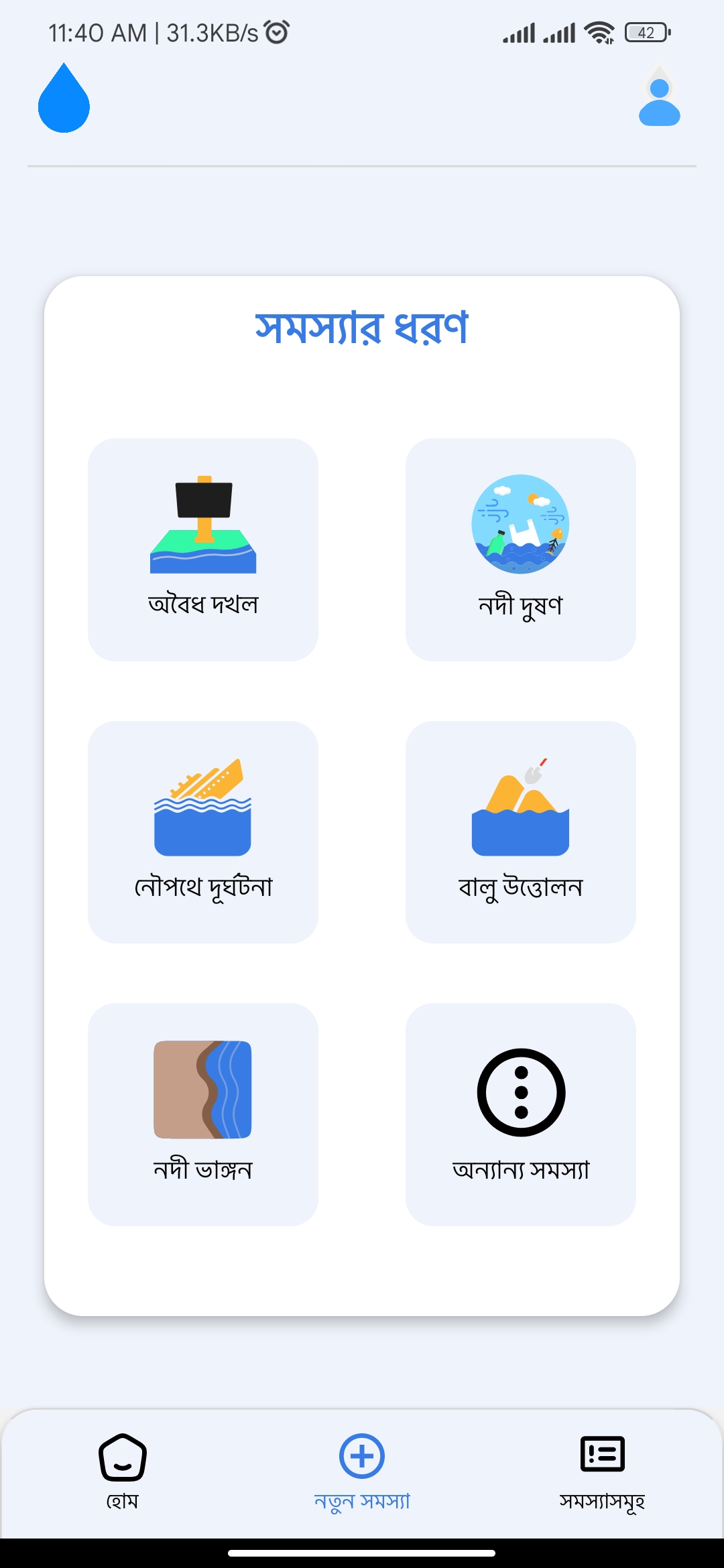
Amar Nodi (My River)

A nationwide dual-mobile app and web administration platform funded by the Bangladesh government for citizens and field investigators to report, verify, and resolve water resource issues.

Role & Contribution:Full-Stack Developer & Team Lead

Led a 5-engineer team to architect the complete 60+ endpoint backend REST service and developed core native mobile modules.

Problem: The national government lacked a centralized, real-time ecosystem for citizens to report water resource violations (pollution, encroachment) and for field officers to track resolutions.

Architecture: Designed a multi-client ecosystem with two React Native apps (Citizen & Investigator) communicating with a Node.js/Express Backend and a MySQL database deployed on AWS EC2.

Technical Decisions: Implemented geospatial queries using Google Maps API for precise incident mapping.

Outcomes: The platform was successfully completed and delivered to the government.

Technologies Used

React NativeNode.jsExpress.jsMySQLAWS (EC2)Google Maps API
// System Architecture Diagram
                  graph TD
    %% Amar Nodi Architecture
    subgraph Mobile Apps
        Citizen[Citizen App\nReact Native]
        Investigator[Investigator App\nReact Native]
    end

    subgraph AWS Cloud [AWS Cloud Infrastructure]
        Backend[Node.js / Express Backend\nEC2 Instances]
    end

    subgraph Third Party
        Maps[Google Maps API]
    end

    Citizen -- HTTPS --> Backend
    Investigator -- HTTPS --> Backend
    
    Citizen -- Direct Upload --> Backend
    Investigator -- Direct Upload --> Backend
    
    Citizen -.-> Maps
    Investigator -.-> Maps
                
Academic Schedule Optimization UtilityRelease: 2021

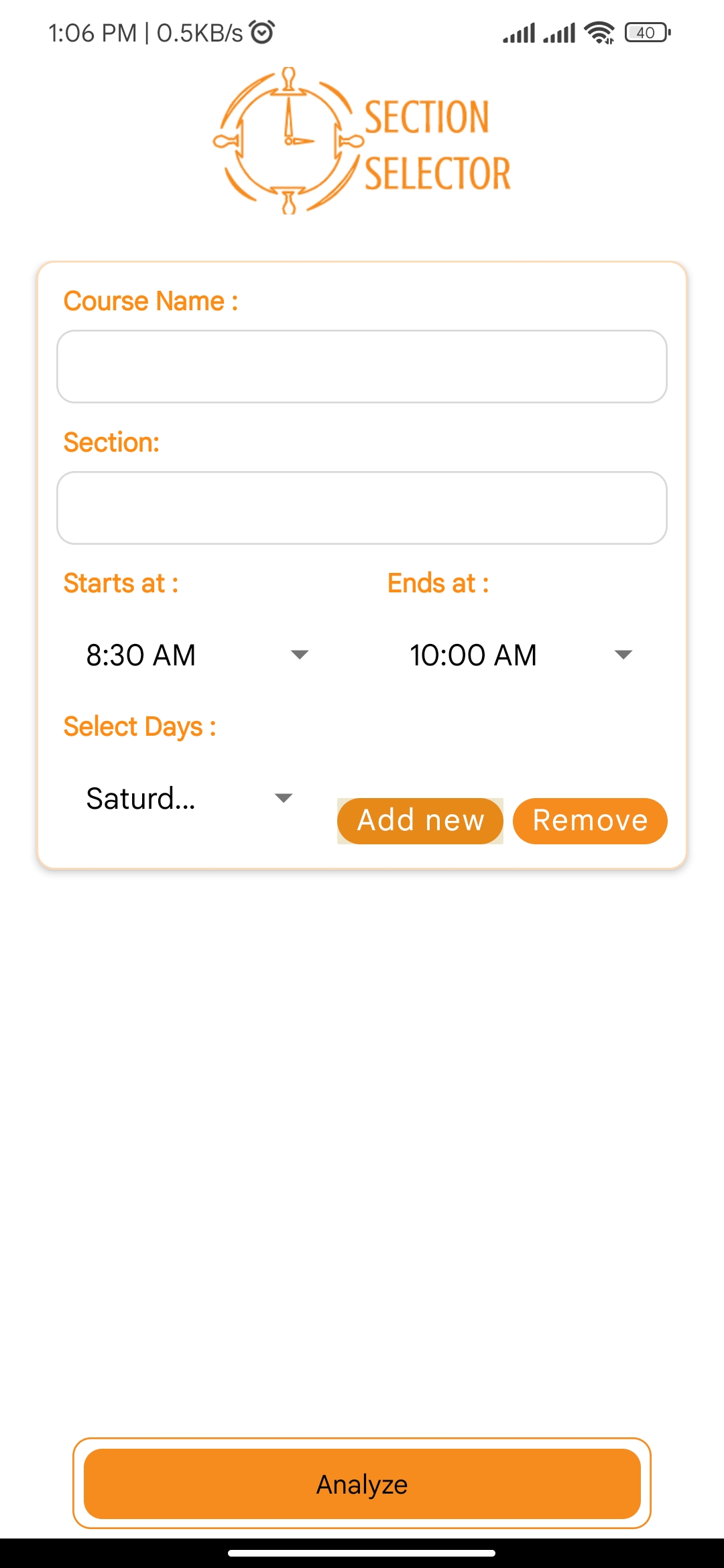
Section Selector UIU

An algorithmic schedule generation and routine planning Android utility created to solve complex trimester timetable conflicts and class overlapping for university students.

Role & Contribution:Solo Developer & Creator

Conceptualized the algorithmic scheduling solver, designed the intuitive UI, and published the mobile application on Google Play for the university student community.

Problem: Students struggled with manual schedule planning, facing overlapping classes and complex trimester prerequisite conflicts during peak registration.

Architecture: A strictly offline, client-side React Native application. Utilized a custom combinatorial backtracking routine engine to evaluate valid, conflict-free schedules locally.

Technical Decisions: Built offline-first to eliminate network latency and server costs during high-traffic registration periods. Adopted a local storage caching strategy for persisting course criteria.

Outcomes: Published on Google Play and organically adopted by the university student community, dramatically reducing schedule planning time from hours to seconds.

Technologies Used

React NativeJavaScript / TypeScriptCombinatorial Search AlgorithmLocal Storage
// System Architecture Diagram
                  graph TD
    %% Section Selector Architecture
    subgraph Client [Android Application]
        UI[React Native UI]
        Engine[Combinatorial Search Engine\nJS/TS]
        Storage[(Local Storage\nSQLite / Async)]
    end

    UI -- User Criteria --> Engine
    Engine -- Conflict Checks --> Storage
    Storage -- Return Prerequisites --> Engine
    Engine -- Generate Valid Schedules --> UI
                
Full-Stack Web Management PortalRelease: 2020

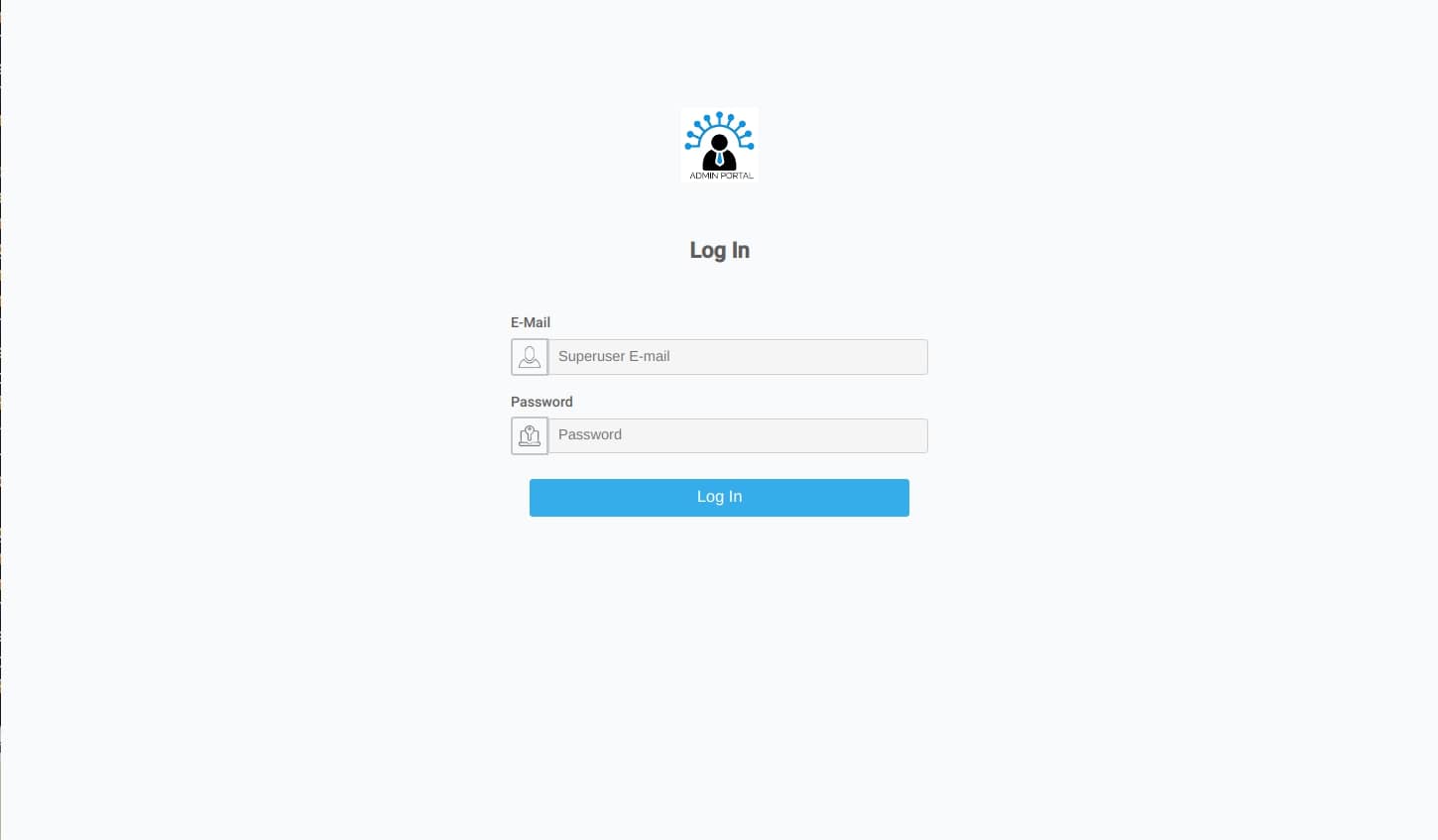
Attache Admin Portal

A comprehensive web management portal built for an international client to manage servers, stream infrastructure, video assets, and user permissions centrally.

Role & Contribution:Full-Stack Developer

Designed and built the full client-side SPA dashboard in React and engineered the backend REST API in Python Django with role-based permissioning.

Problem: The client required a centralized orchestration interface to monitor global streaming infrastructure, video transcoding assets, and multi-tenant access safely.

Architecture: Developed a decoupled full-stack platform consisting of a React.js SPA dashboard consuming a scalable Python Django REST API.

Technical Decisions: Implemented strict Role-Based Access Control (RBAC) via session-isolated JWTs. Built responsive server-side paginated data tables for high-volume logs.

Outcomes: Successfully delivered a minimal portal that unified server asset management.

Technologies Used

React.jsDjango (Python)RESTful APIsRole-Based Access ControlTailwind CSS
// System Architecture Diagram
                  graph TD
    %% Attache Admin Portal Architecture
    subgraph Frontend [Client Side]
        ReactSPA[React.js SPA Dashboard]
        Auth[RBAC Auth State]
    end

    subgraph Backend [Server Side]
        Django[Python Django REST API]
        JWT[JWT Authentication Middleware]
    end

    subgraph Infrastructure
        DB[(Primary Database)]
        Video[Video Transcoding Engine]
        Servers[Server Telemetry Agent]
    end

    ReactSPA -- JSON / REST --> JWT
    JWT --> Django
    Django -- Query --> DB
    Django -- Control --> Video
    Servers -- Logs / Metrics --> Django
    Auth -- Token --> ReactSPA
                
JavaFX Connect Four GameRelease: 2020

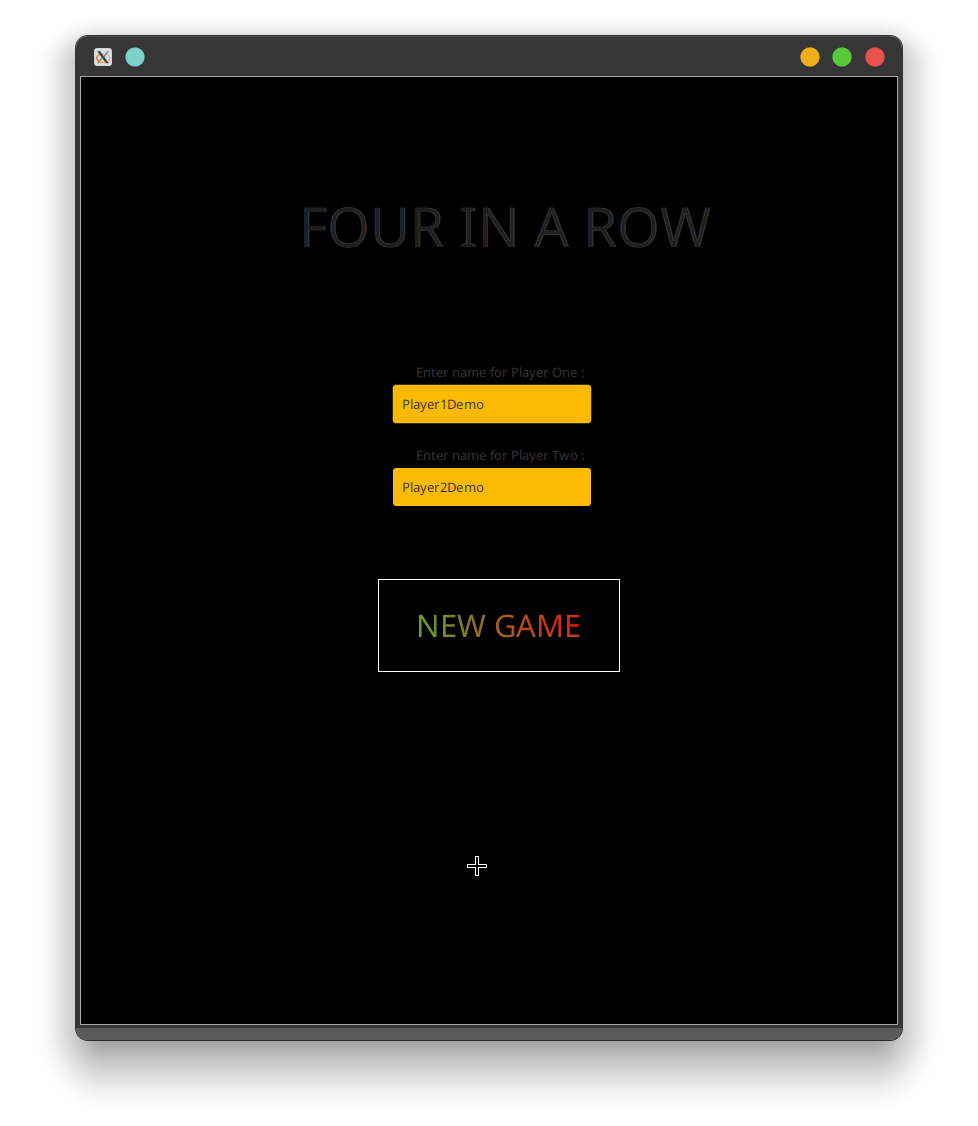
Four in a Row

A JavaFX-based two-player Connect Four game developed as an Advanced OOP course project. The game provides a graphical 7×7 board, player name configuration, alternating turns, gravity-based piece placement, win detection, turn indicators, and game restart functionality.

Role & Contribution:Java Developer

Designed and implemented the JavaFX game application, including the interactive board UI, player configuration flow, game-state management, turn handling, piece placement, win detection, and restart functionality.

Problem: Implementing a fully interactive Connect Four game requires coordinating a graphical board with persistent game state, alternating player turns, valid gravity-based moves, and reliable detection of winning combinations.

Architecture: The application uses a JavaFX presentation layer defined with FXML and controlled by dedicated menu and game controllers. A separate PlayingGrid class manages the 7×7 integer game matrix, player state, valid column positions, turn switching, restart behavior, and win detection. The main JavaFX application loads the menu scene and transitions to the game scene when a new game is started.

Technical Decisions: Separated game-state logic from the JavaFX controllers by encapsulating board operations in PlayingGrid, used FXML for declarative UI construction, represented player moves in a 7×7 integer matrix, implemented gravity by locating the lowest available cell in a selected column, and dynamically updated JavaFX controls to represent player pieces and game status.

Outcomes: Delivered a functional desktop Connect Four game with a dedicated start menu, configurable player names, randomized starting player, interactive 7×7 board, visual turn indication, four-in-a-row win detection, winner messaging, disabled controls after a win, and restart support.

Technologies Used

JavaJavaFXFXMLOOPNetBeansApache Ant
// System Architecture Diagram
                  graph TD
      %% Four in a Row Architecture

      subgraph UI["JavaFX Presentation Layer"]
          MenuFXML["Menu Scene<br/>FXML"]
          GameFXML["Game Board<br/>FXML"]
          MenuController["MenuSceneController"]
          GameController["FXMLDocumentController"]
      end

      subgraph GameLogic["Game Logic"]
          Grid["PlayingGrid"]
          Board["7×7 Integer Grid"]
          Turn["Current Player"]
          Move["Gravity-Based Move Handling"]
          Win["Four-in-a-Row Detection"]
      end

      subgraph Application["Application Layer"]
          Main["Four_in_a_row_oop<br/>JavaFX Application"]
          Scene["JavaFX Scene Switching"]
      end

      Main --> MenuFXML
      MenuFXML --> MenuController
      MenuController --> GameFXML
      MenuController --> Scene
      Scene --> GameFXML
      GameFXML --> GameController
      GameController --> Grid
      Grid --> Board
      Grid --> Turn
      Grid --> Move
      Move --> Win
      Win --> GameController
      GameController --> GameFXML

      classDef ui fill:#1a1a1a,stroke:#deec56,stroke-width:1px,color:#fff;
      classDef logic fill:#121212,stroke:#38bdf8,stroke-width:1px,color:#fff;
      classDef app fill:#1a1a1a,stroke:#a78bfa,stroke-width:1px,color:#fff;

      class MenuFXML,GameFXML,MenuController,GameController ui;
      class Grid,Board,Turn,Move,Win logic;
      class Main,Scene app;
                
Movie & TV Metadata Aggregation SystemRelease: 2019

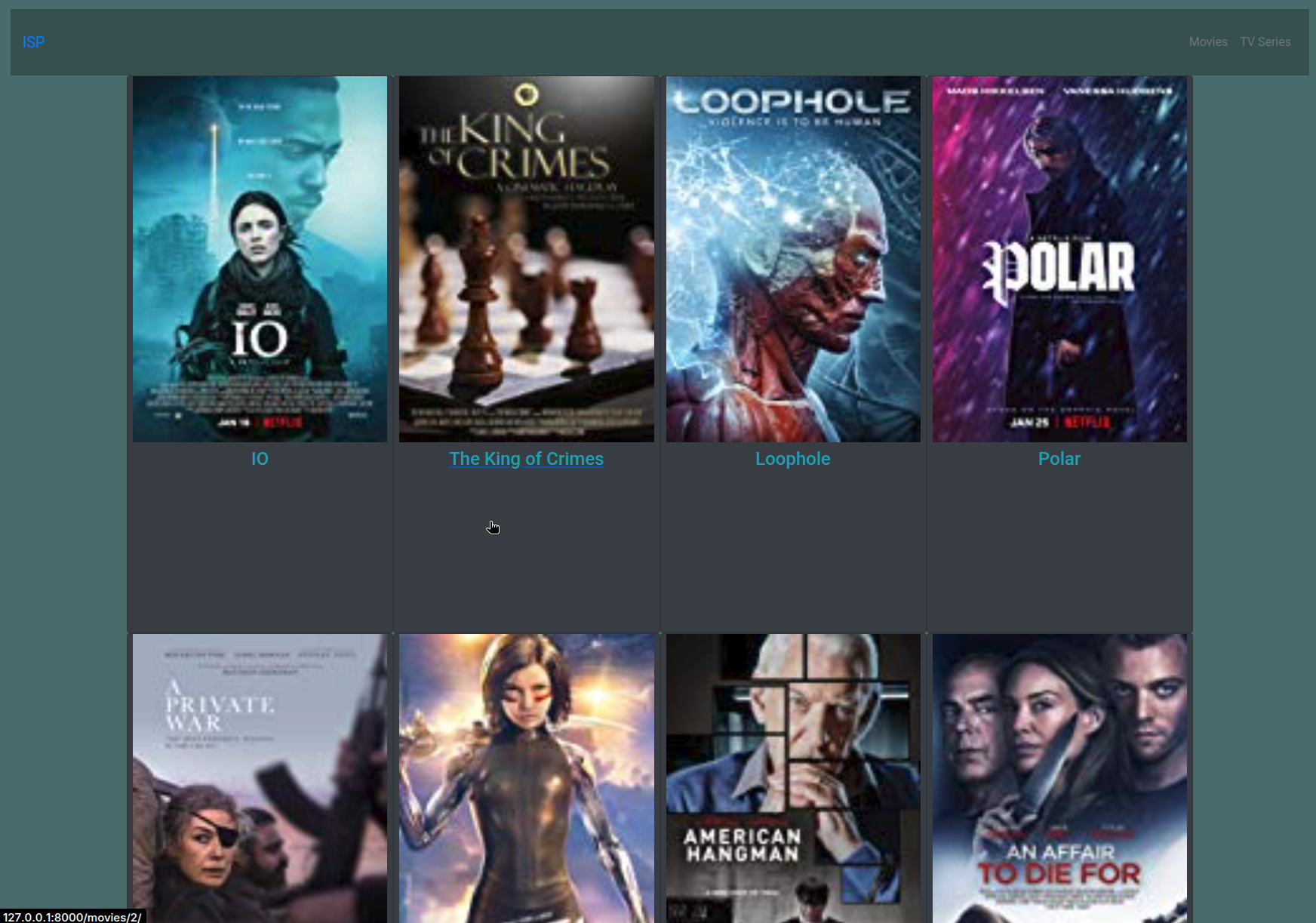
ISP_FTP

A Python/Django-based media catalog and automation system designed to reduce manual work in building a structured movie and TV-series library by crawling remote media directories, extracting titles, and automatically enriching them with IMDb metadata and artwork.

Role & Contribution:Backend Engineer

Built a Django web application around a reusable media-ingestion backend. Implemented recursive parsing of remote media directories, automated poster retrieval, and IMDb integration.

Problem: Building structured media libraries from raw remote directories is highly manual and time-consuming without automated metadata extraction.

Architecture: Remote media directories are parsed via BeautifulSoup/lxml, titles are extracted, enriched via IMDbPY, downloaded via Pillow, and stored in Django ORM with SQLite.

Technical Decisions: Utilized Django ORM and SQLite for structured persistence, decoupled the automated ingestion endpoint from the presentation layer, and implemented robust fallback handlers for missing artwork.

Outcomes: Delivered a fully functional media catalog system with separate modules for movies and TV shows, enabling single-click ingestion from remote media servers.

Technologies Used

PythonDjango 2.2Django ORMSQLiteIMDbPYBeautifulSouplxmlPillowBootstrap
// System Architecture Diagram
                  graph TD
    %% ISP_FTP Architecture
    subgraph Ingestion [Ingestion Pipeline]
        Crawl[Remote Media Directories]
        Parse[URL/HTML Parser\nBeautifulSoup / lxml]
        Extract[Filename & Title Extraction]
        IMDb[IMDb Metadata Enrichment\nIMDbPY]
        ImageDL[Image Download\nPillow]
    end

    subgraph Storage [Persistence Layer]
        ORM[Django ORM]
        SQLite[(SQLite Database)]
        Media[(Local Media Storage)]
    end

    subgraph Frontend [Web Interface]
        DjangoViews[Django Views & Templates]
        UI[Movie/TV Web Interface\nBootstrap 4]
    end

    Crawl --> Parse
    Parse --> Extract
    Extract --> IMDb
    IMDb --> ImageDL
    ImageDL --> ORM

    ORM --> SQLite
    ORM --> Media

    SQLite --> DjangoViews
    Media --> DjangoViews
    DjangoViews --> UI
    
    classDef pipeline fill:#1a1a1a,stroke:#deec56,stroke-width:1px,color:#fff;
    classDef db fill:#121212,stroke:#38bdf8,stroke-width:1px,color:#fff;
    
    class Crawl,Parse,Extract,IMDb,ImageDL pipeline;
    class SQLite,Media db;